IPTV 4K is one of the biggest reasons people upgrade from cable. Your TV is probably already 4K — but are you actually watching in 4K? Many services stream HD and call it 4K, and many viewers have the right subscription but the wrong device or connection. This guide explains what real 4K IPTV is, the six things you need for smooth 4K live IPTV, and how Marinios IPTV delivers it.
What Is IPTV 4K?
IPTV 4K means live channels and on-demand video delivered over the internet in 4K Ultra HD — 3840 × 2160 pixels, four times the detail of 1080p Full HD (see 4K resolution on Wikipedia). On a large screen, the difference is obvious: sharper faces, readable scoreboards, grass you can almost see individual blades on.
A 4K IPTV service usually offers several quality levels — 4K/UHD, FHD (1080p) and HD (720p) — so you can pick the best version your connection can handle.
Real 4K vs “4K” Labels
Here is the uncomfortable truth about many 4K IPTV offers: a channel labelled “4K” is often a 1080p stream upscaled. Real 4K needs:
- A 4K source (the broadcaster or film must exist in 4K)
- Enough bitrate to carry the detail
- Servers with the bandwidth to deliver that bitrate to thousands of viewers at once
How to spot real IPTV 4K during a trial: pause a 4K movie on a detailed scene and look at fine textures — hair, fabric, text. Upscaled HD looks soft; true 4K looks crisp. On sports, look at small on-screen graphics and the crowd.
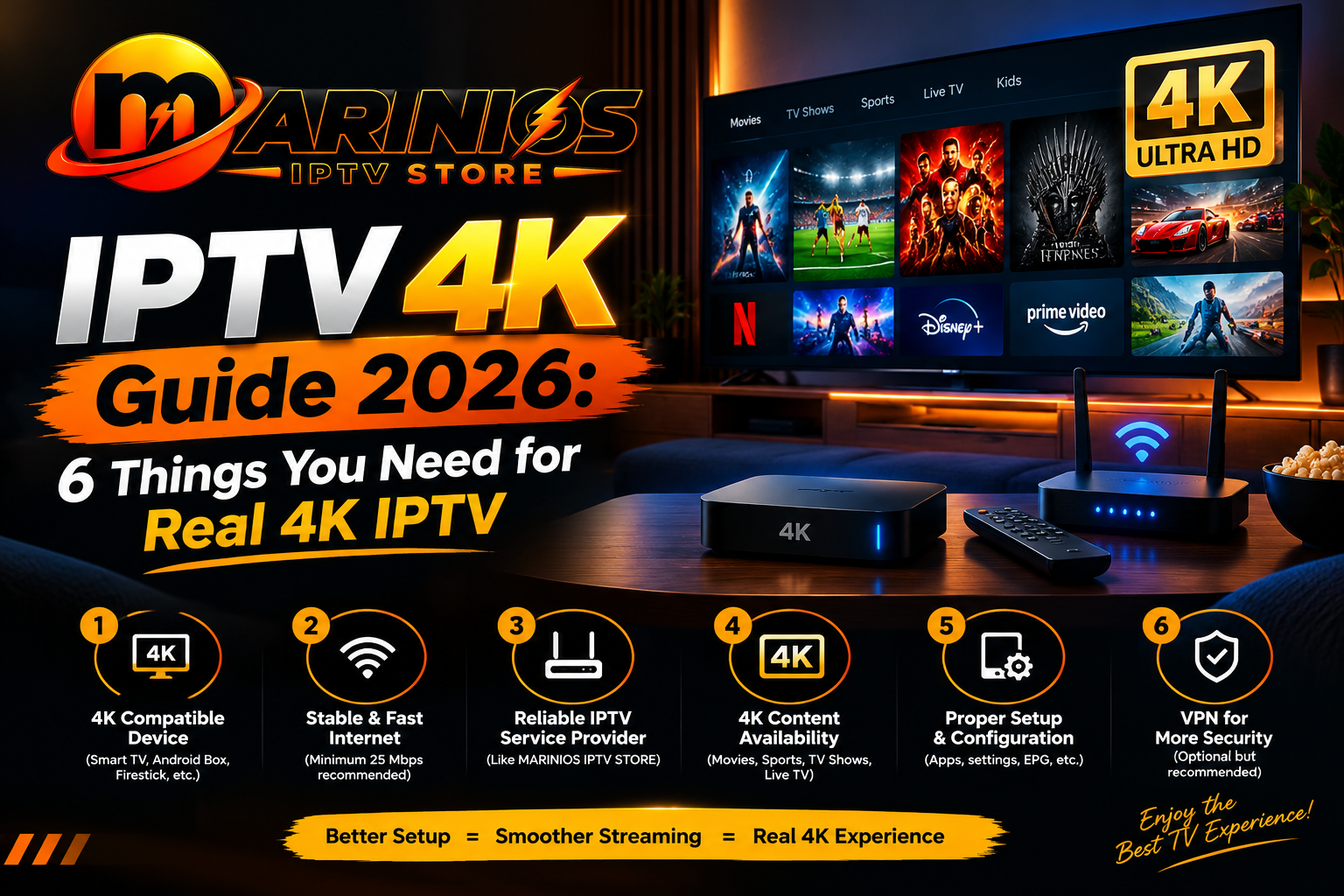
6 Things You Need for Smooth 4K IPTV
1. Enough internet speed
Plan for at least 25 Mbps per 4K stream, stable. That matches what major streaming services recommend for UHD — Netflix, for example, suggests 15 Mbps or more for 4K (Netflix speed recommendations). Live IPTV 4K benefits from extra headroom. Test with Speedtest.
2. A wired or 5 GHz connection
Ethernet is best. If you must use Wi-Fi, connect to 5 GHz and keep the router close.
3. A 4K-capable device
Firestick 4K or 4K Max, a 4K Android TV box, a modern Smart TV, or Apple TV 4K. Older Firestick models top out at 1080p.
4. A player that handles 4K
IPTV Smarters Pro and IBO Player both play 4K streams. Our best IPTV player guide compares settings for each.
5. The right TV settings
Turn off motion smoothing for sports if it looks unnatural, and enable HDR if your TV and the stream support it.
6. A provider with real 4K servers
This is the part you cannot fix yourself. If the servers are oversold, even a perfect home setup will buffer. That is why the choice of IPTV provider matters so much — read our guide to IPTV providers.
Best Devices for IPTV 4K
| Device | 4K support | Notes |
|---|---|---|
| Fire TV Stick 4K / 4K Max | Yes | Most popular choice; use 5 GHz Wi-Fi or an Ethernet adapter |
| Android TV / Google TV box | Yes | Ethernet port on most models — ideal for 4K live IPTV |
| Samsung / LG Smart TV | Yes | Use IBO Player or a compatible IPTV app |
| Apple TV 4K | Yes | Smooth playback with a compatible player |
| MAG boxes | Newer models | Check your model’s specs |
| Phones and tablets | Varies | Fine for HD; 4K mostly useful when casting |
How to Fix Buffering in 4K IPTV
- Switch to Ethernet or move closer to the router.
- Restart your device and router to clear memory.
- Close other heavy downloads on the network.
- Clear the player’s cache in its settings.
- Try the FHD version of the channel to check whether the issue is bandwidth.
- Contact support — with Marinios IPTV, a real person on WhatsApp can check your line 24/7.
Marinios IPTV in 4K
Marinios IPTV was built to make 4K live IPTV practical, not just a label:
- True 4K, UHD and FHD streams, with adaptive quality tuned to your connection.
- Anti-Freeze™ 9.8 servers designed for peak traffic, so 4K sports keep playing at kickoff.
- 100,000+ movies and series in 4K, UHD and FHD, with multi-audio and subtitles.
- 25,000+ live channels including sports and entertainment in 4K where the broadcaster provides it.
- 4K in every plan — there is no “4K upgrade” fee.
Plans start at $36 for 3 months, or $68 for 12 months — $5.67 a month for IPTV 4K with no setup fee and no contract. See them all on the pricing page.
See real 4K on your own TV
Free Marinios IPTV trial — test 4K live channels and movies, no card
Start Free 4K Trial See 4K IPTV Plans4K IPTV vs 4K Streaming Apps
Streaming apps often charge extra for their 4K tier, and each app only covers its own catalogue. A 4K IPTV subscription like Marinios IPTV gives you live TV plus a large on-demand library in one place, with 4K included in the base price. For a broader comparison, see our IPTV streaming guide.
4K IPTV Terms Explained: HDR, HEVC and Bitrate
A few technical terms come up again and again with 4K IPTV. Here is what they mean in practice:
| Term | What it means | Why it matters for IPTV 4K |
|---|---|---|
| UHD / 4K | 3840 × 2160 resolution | Four times the pixels of 1080p |
| HDR | High dynamic range — brighter highlights, deeper blacks | Often more noticeable than resolution itself |
| HEVC (H.265) | Video compression standard | Delivers 4K at lower bandwidth than H.264; your device must support it |
| Bitrate | Amount of data per second in a stream | Low bitrate “4K” looks soft and blocky |
| Frame rate | Frames per second (25/30/50/60) | 50–60 fps makes sports look smoother |
| Adaptive bitrate | Stream switches quality with your bandwidth | Keeps playing instead of freezing |
Marinios IPTV uses adaptive 4K · UHD · FHD streams, so when your connection briefly drops, the picture steps down rather than stopping — and returns to 4K when bandwidth recovers.
How to Set Up 4K IPTV on a Firestick 4K
- Check your model: go to Settings → My Fire TV → About. You need a 4K or 4K Max model.
- Set display to 4K: Settings → Display & Sounds → Display → Video Resolution → Auto (up to 4K Ultra HD).
- Enable HDR if your TV supports it: Dynamic Range Settings → Adaptive.
- Use a strong connection: 5 GHz Wi-Fi close to the router, or an Ethernet adapter.
- Install a player: IPTV Smarters Pro or TiviMate — see the best IPTV player guide.
- Log in with your Marinios IPTV details and open a 4K category.
- Enable hardware decoding in the player’s settings for HEVC streams.
4K IPTV on Samsung and LG Smart TVs
Most Samsung and LG TVs from recent years decode 4K HEVC natively, which makes them excellent for 4K live IPTV. Install IBO Player from the TV’s app store, note the MAC address shown on screen, and send it to Marinios IPTV support on WhatsApp — we add your playlist for you. Make sure the TV’s picture mode is set to “Standard” or “Filmmaker” rather than “Vivid” for the most natural 4K picture, and turn off heavy motion smoothing if sports look artificial.
4K Live IPTV for Sports
Sports are where 4K live IPTV really shines — and where weak servers fail. A 4K sports stream combines high resolution with fast motion, which needs both a high bitrate and stable delivery. That is exactly why Marinios IPTV built its Anti-Freeze™ 9.8 servers for peak match traffic. When thousands of viewers open the same 4K channel at kickoff, capacity is already there.
For US sports fans, our IPTV USA guide covers NFL, NBA, MLB and NHL coverage in detail.
Watching 4K on Several Screens
If two or three people want 4K at the same time, add the bandwidth together: around 50 Mbps for two 4K streams and 75 Mbps for three. Choose a 2-device or 3-device Marinios IPTV plan — $119 or $169 for 12 months — and connect the main TV by Ethernet so it gets priority. Read the IPTV subscription guide to choose the right plan for your household.
IPTV 4K FAQ
What internet speed do I need for IPTV 4K?
At least 25 Mbps of stable bandwidth per 4K stream. For two simultaneous 4K screens, plan for 50 Mbps or more.
Does the Firestick support 4K IPTV?
Yes — the Fire TV Stick 4K and 4K Max do. The basic Fire TV Stick (non-4K) is limited to 1080p.
Is every channel in 4K?
No IPTV service can make every channel 4K, because many broadcasters only produce HD. Marinios IPTV offers 4K wherever the source exists, plus UHD and FHD versions.
Why does my 4K IPTV buffer?
Usually Wi-Fi or bandwidth limits. Try Ethernet, restart the router, or switch to FHD. If it continues, contact Marinios IPTV support.
Does 4K cost extra with Marinios IPTV?
No. 4K is included in every Marinios IPTV plan.
Conclusion
Real IPTV 4K comes down to three things: a provider with true 4K streams and strong servers, a 4K-capable device, and a stable connection. Get those right and IPTV 4K looks better than most cable boxes. Test Marinios IPTV free on your TV, compare a 4K movie and a live match side by side, and decide with your own eyes.
4K included in every Marinios IPTV plan
From $5.67/month · no setup fee · no contract
Get Marinios IPTV 4K